Why Multi-Site Hourly Workforces Break Standard HRIS Integrations
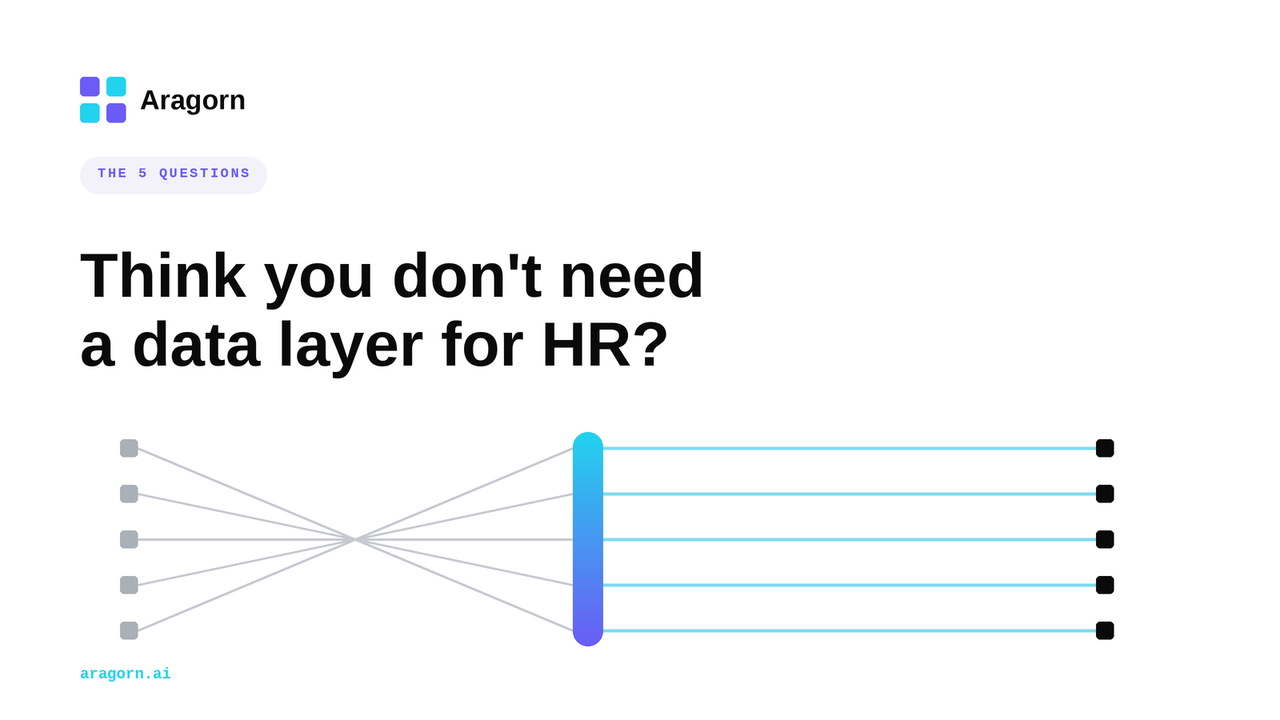
Quick answer: Standard HRIS integrations assume one employee equals one job at one location with one pay rate. Distributed hourly employers break that assumption every day. The same person bartends at one site on Friday, runs a register at another on Sunday, and covers a shift at a third during a holiday, each at a different rate and job code. Most integrations cannot represent that cleanly, so the data drifts between the HRIS and the systems that run each location. The fix is not another point-to-point feed. It is an operating layer that owns how this employee data is structured, moved, and monitored across every site.
The Problem Standard Integrations Were Not Built For
If you run people operations for a multi-location business, you already know the moment things stop being simple. It is the moment one employee starts working more than one job at more than one site.
A single corporate worker maps cleanly. One person, one office, one role, one salary. The system of record holds the truth, and a nightly file pushes it downstream. That model has worked for decades.
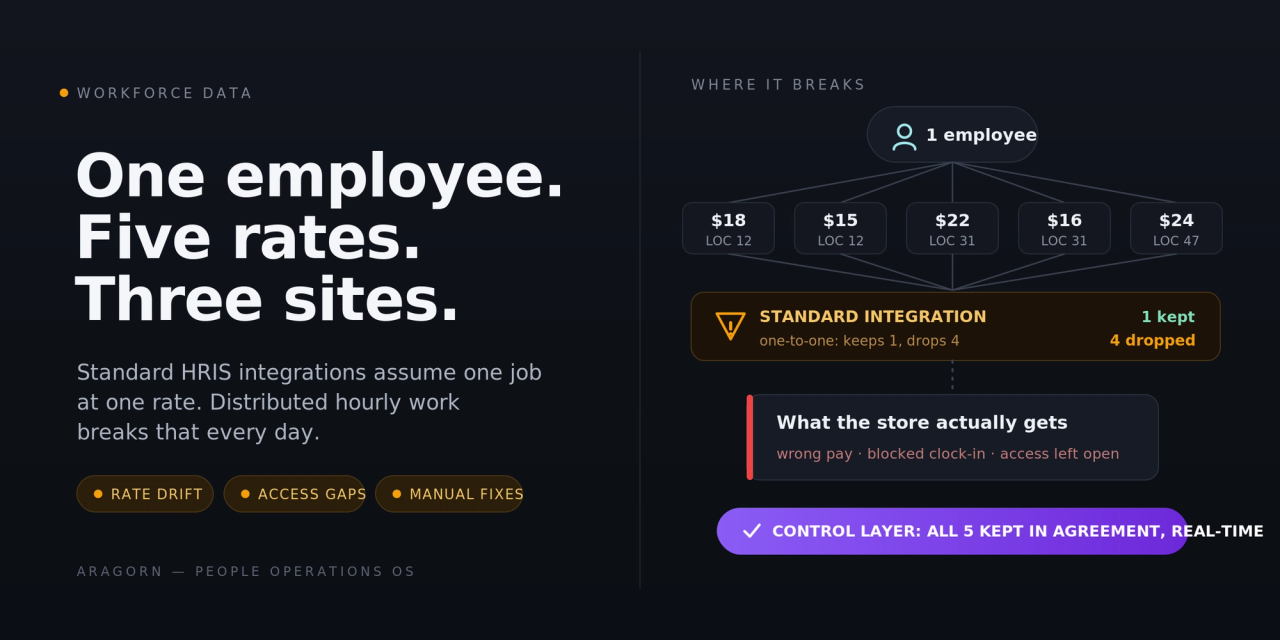
The reality for hourly, distributed workforces is different. The same employee is a server at location 12, a shift lead at location 31, and a trainer who floats across the region during openings. Each of those is a separate job code. Each carries its own pay rate. Each may sit under a different manager, a different schedule, and sometimes a different legal entity.
Your HRIS can usually store that. The problem is what happens when that data has to move.
Why One Worker, Many Jobs Breaks the Model
Most integrations were designed around a one-to-one record. One employee ID maps to one position, one rate, one location. The integration logic, the field mapping, and the downstream system all quietly assume it.
Multi-site hourly work is a one-to-many record. One employee ID maps to several positions, several rates, several locations, and those assignments change constantly as people pick up shifts, transfer, get promoted at one site but not another, or cover a sister location for two weeks.
When a one-to-many reality gets forced through a one-to-one pipe, something has to give. Usually it is accuracy. The integration picks a primary job and a primary rate and drops the rest, or it overwrites the worker's record at every location with whatever the last update said. The HRIS still looks correct. The store-level system that pays people and controls access does not.
That is the friction, and it does not show up in a demo. It shows up three pay periods later when someone is paid the wrong rate for the wrong site.
The Four Places the Data Actually Breaks
When People Systems teams trace these problems back, the breakage clusters in four predictable places.
1. Pay rate by location and job. A raise at one site silently changes the rate at another, or a second job is created without its own rate and defaults to the primary. Payroll catches some of it. Employees catch the rest, and those become trust problems, not just data problems.
2. Job and location assignment. A transfer or a new secondary assignment lands in the HRIS but never reaches the system that controls scheduling and point-of-sale access at the new site, so the employee shows up to work and cannot clock in or log in.
3. Timing. Hourly operations move in real time. A new hire who is starting a shift this afternoon cannot wait for tonight's batch file to reach the store system. A nightly sync is built for a workforce that starts on Mondays, not for one that starts in four hours.
4. Terminations and access. Someone is termed in the HRIS but stays active in the store system, which is both a payroll leak and a security gap. The reverse happens too, where an active employee gets deactivated at one site because of how a multi-location record was interpreted.
None of these are exotic. Every distributed hourly employer hits all four. The only variable is how much manual work the team is doing to paper over them.
Why Your HRIS and Your Store Systems Disagree
Here is the structural reason this keeps happening.
Your HRIS is built to be the system of record for the employee. It thinks in terms of the person, their position, and their history. Your store-level systems, the point-of-sale, scheduling, and time platforms that actually run each location, are built around the site and the shift. They think in terms of who is working here, today, in what role, at what rate.
Those two models do not line up on their own. The HRIS says "this employee holds these three positions." The store system at location 31 only cares about the one position that exists at location 31, and it needs that position represented in its own structure, with its own rate, mapped to its own job code.
Translating between those two views, correctly, every time something changes, for every worker who spans more than one site, is the actual job. Most integrations were never scoped to do it. They move fields. They do not reconcile two different models of what an employee is.
Why IT and iPaaS Do Not Close This Gap
When this breaks, the usual move is to file a ticket with IT or hand it to whatever integration platform the company already owns. Both help less than people expect.
IT can build a connection between two systems, but IT does not own the HR logic that decides which rate belongs to which job at which site, or what should happen when a worker is promoted at one location and not another. So every edge case becomes a new ticket, the backlog grows, and HR ends up waiting on a team that does not feel the pain and cannot prioritize it.
A generic integration platform, an iPaaS, has the same blind spot in a different shape. It can pass data between systems reliably, but it assumes the data going in is already correct and already shaped the way the destination needs it. The hard part of multi-site hourly data is upstream of that. It is capturing the change as it happens, deciding what it means across locations, and reconciling two models that disagree. An iPaaS expects you to have already solved that, which is the part HR cannot solve without owning the logic itself.
So the work falls back on people. Someone exports a report, compares it to the store system by hand, finds the mismatches, and fixes them one at a time. That hidden labor is the real cost, and it scales with every new location you open.
What Control Over This Data Layer Looks Like
The way out is not a better one-time integration. It is owning the layer where this data is structured, moved, and watched, so it stops depending on IT tickets, consultants, and manual reconciliation.
In practice that means a few concrete things.
- Capture changes as they happen, not on a nightly batch. When a rate, job, or location assignment changes, the change moves to the systems that need it in near real time, so the store can act on it the same day.
- Hold the multi-location model natively. One employee with several jobs, rates, and sites is represented correctly end to end, not flattened into a single primary record that drops the rest.
- Reconcile, do not just transfer. The two models, the HRIS view of the person and the store view of the site, are kept in agreement, with mismatches surfaced instead of silently overwritten.
- Monitor and prove it. Every change carries an audit trail, failures are flagged when they happen rather than discovered at payroll, and HR can see what moved, where, and who it touched.
- HR owns it without a developer. Changes to mapping and logic are made by the People Systems team, not filed as a ticket and queued behind IT's roadmap.
That combination is what turns this from a recurring fire into a controlled, visible process. It also removes the dependency that makes HR slow, which is the point.
A Test: Is This Your Problem?
This is your problem if more than one of these is true.
- You employ hourly workers who work more than one location or more than one job code.
- The same person can carry different pay rates depending on the site or the role.
- A new hire sometimes needs to start working before your systems have fully set them up.
- Someone on your team runs a manual reconciliation between your HRIS and your store, scheduling, or point-of-sale systems.
- A termination in the HRIS does not always shut off access everywhere.
- New location openings make all of the above noticeably worse.
If three or more are true, you are paying for this every pay period in manual labor, payroll corrections, and employee trust. The cost is just spread out enough that it never gets prioritized.
The takeaway is simple. Multi-site hourly data is a different problem from corporate HR data, and the tools built for the second one quietly fail at the first. Getting control of that layer is what lets a growing, distributed workforce run without the reconciliation tax.
If this maps to what your team is doing by hand, the fastest way to scope it is a working session where we map your systems and the top places your employee data breaks across locations. Book a working session.
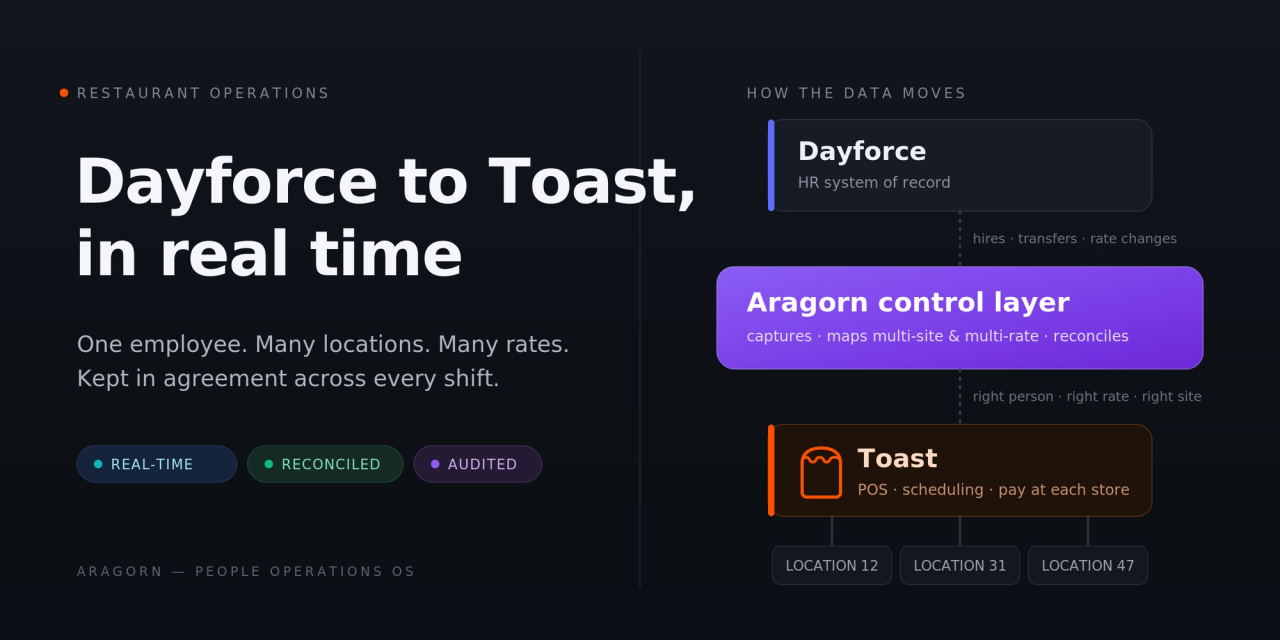
Related reading: For restaurant groups specifically, see Dayforce to Toast: How to Sync Employee Data in Real Time Across Multiple Restaurant Locations, which works through this exact problem between a single HRIS and point-of-sale pair.